iPad kiosk mode

Turn an iPad or tablet into a focused open-house sign-in station.

HAVN kiosk mode gives visitors a simple check-in experience while agents keep the full workspace for review, lead qualification, and seller reporting.

  • Guest check-in
  • Tablet workflow
  • Correct event context
  • Real-time leads
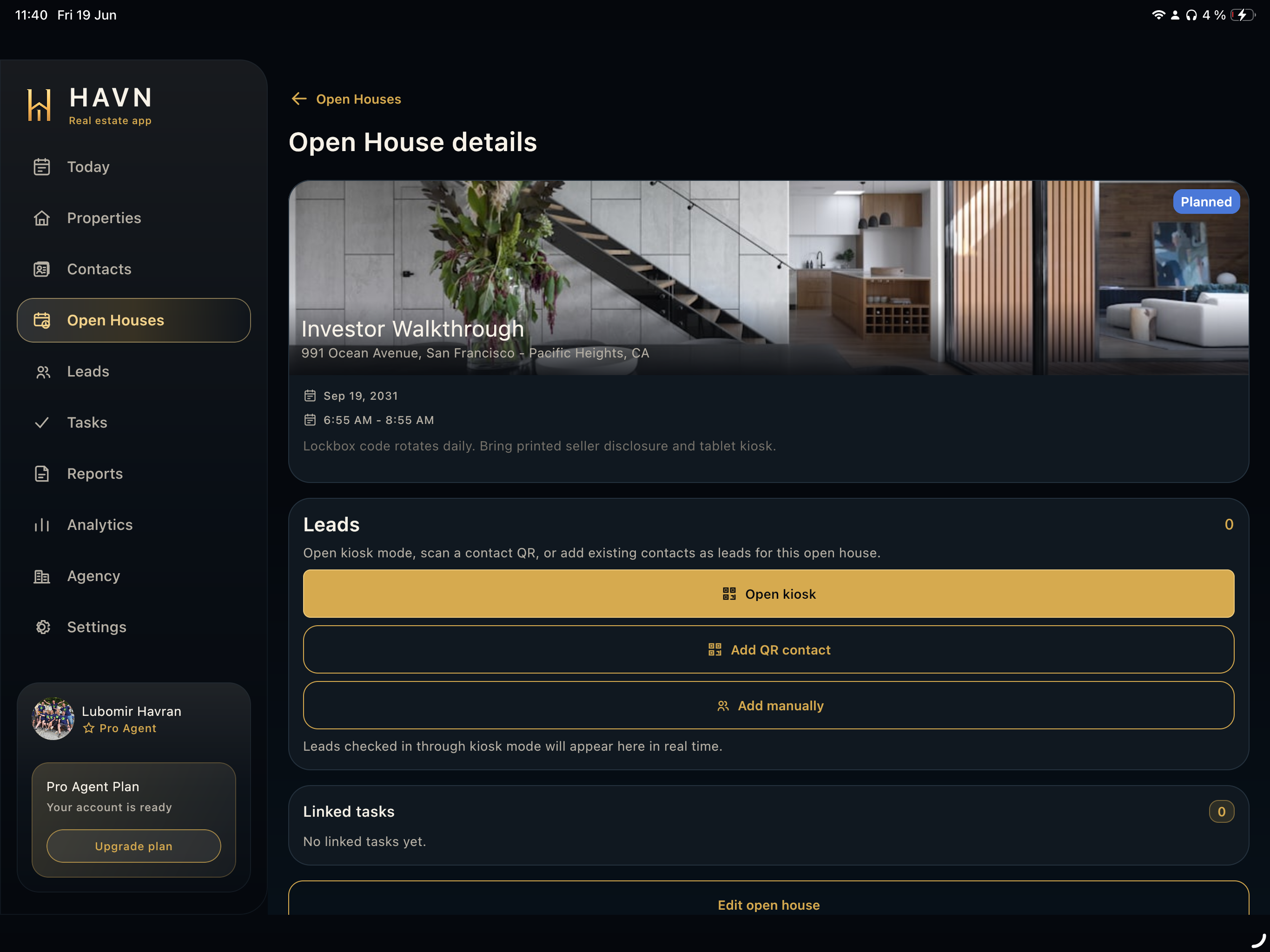
HAVN tablet open house detail with kiosk actions.

iPad kiosk mode

iPad kiosk workflow

  1. 01Choose the open house
  2. 02Open kiosk mode
  3. 03Let guests sign in
  4. 04Review captured visitors
  5. 05Qualify leads
  6. 06Close the event

Focused check-in

Keep the tablet on the visitor sign-in job.

Kiosk mode reduces distraction and gives guests a clear path to enter their details during the open house.

  • Simple visitor flow
  • Dedicated tablet experience
  • Useful at the entrance or reception point

Agent control

Open kiosk from the exact open-house detail.

Starting kiosk from the event helps keep every visitor attached to the correct listing and scheduled opening.

  • Launch from open-house detail
  • Preserve property and event context
  • Review captured leads after check-in

Follow-up ready

Move kiosk sign-ins directly into lead review.

After the event, agents can review visitors, qualify leads, create tasks, and feed seller reports with real activity.

  • Visitor records become leads
  • Lead review starts immediately
  • Reports can use checked-in activity

FAQ

iPad kiosk for open houses FAQs

What is iPad kiosk mode for open houses?

It is a focused tablet sign-in experience that lets visitors check in during an open house while the agent keeps lead and reporting tools available separately.

Can kiosk leads be tied to a specific property?

Yes. HAVN launches kiosk mode from the open-house context so visitors stay connected to the correct property and event.

Does kiosk mode work for tablets beyond iPad?

HAVN supports tablet and web workflows, so teams can use the tablet experience that fits their setup.