Capture
Give visitors more than one way to sign in.
Use QR sign-in, a tablet kiosk, or manual entry so the agent can keep the flow moving during a busy showing.
- Fast QR sign-in
- Dedicated tablet check-in
- Manual backup for edge cases
Real estate lead capture
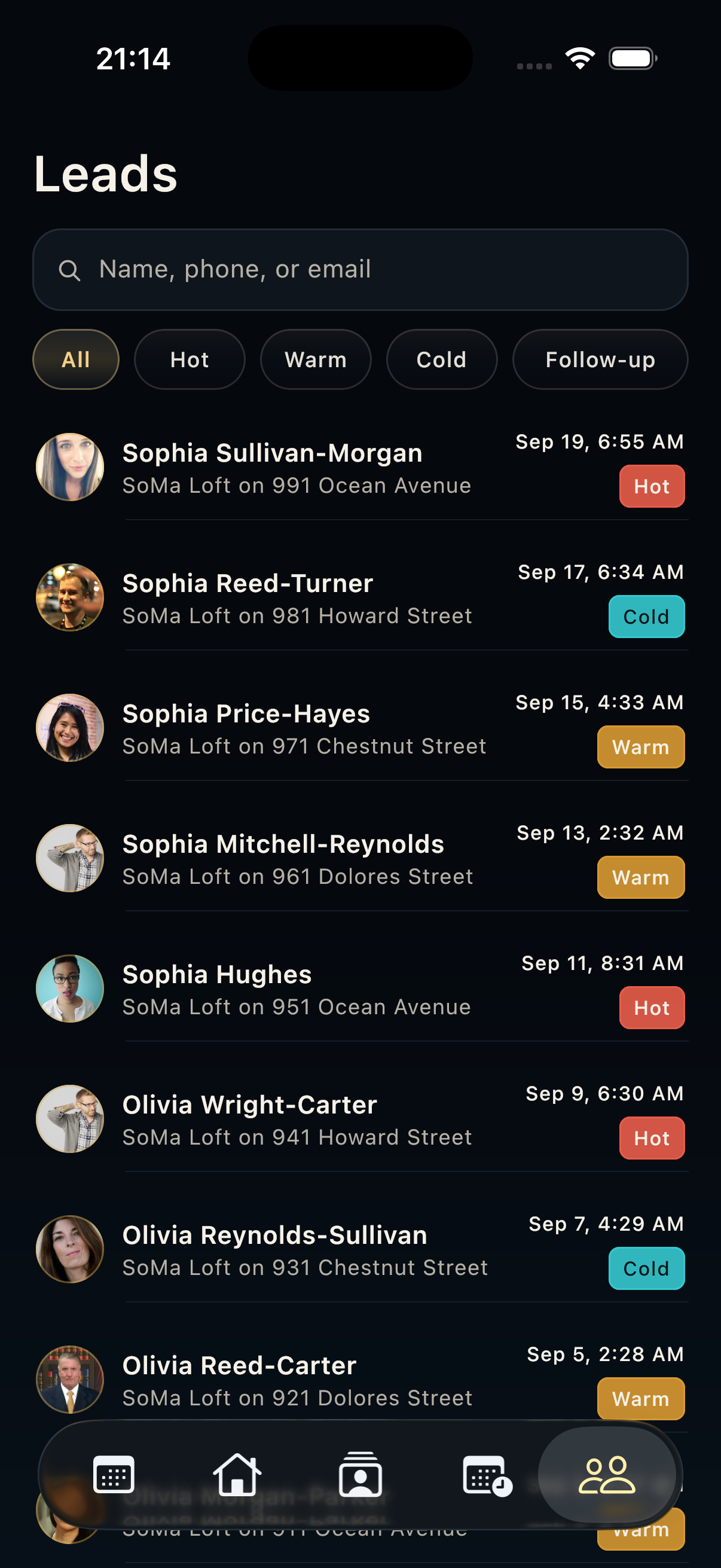
HAVN turns visitor sign-in into organized lead records with contact details, property context, notes, status, and next actions for real estate follow-up.
Real estate lead capture
Capture
Use QR sign-in, a tablet kiosk, or manual entry so the agent can keep the flow moving during a busy showing.
Qualify
Lead context matters. HAVN keeps the visitor, property, open house, notes, and follow-up status together.
Follow up
Use tasks, contact detail, lead detail, and AI-assisted context to keep momentum after the showing.
FAQ
Visitors can sign in through QR, kiosk mode, or manual entry. HAVN stores the lead with the correct property, opening, and follow-up context.
Yes. Manual entry is available when a visitor cannot use the QR code or kiosk flow.
Yes. Agents can review lead detail, contact history, task status, notes, and analytics to decide which leads need attention first.